Just snap a photo,
AI tracks your expenses.
An AI expense tracker and budget planner. No more typing in every entry: snap a receipt, forward a transfer notification or screenshot a bank statement, and JotIt reads and categorizes every transaction for you.
Free to start, no credit card needed
How it works
Four simple steps
Snap or forward
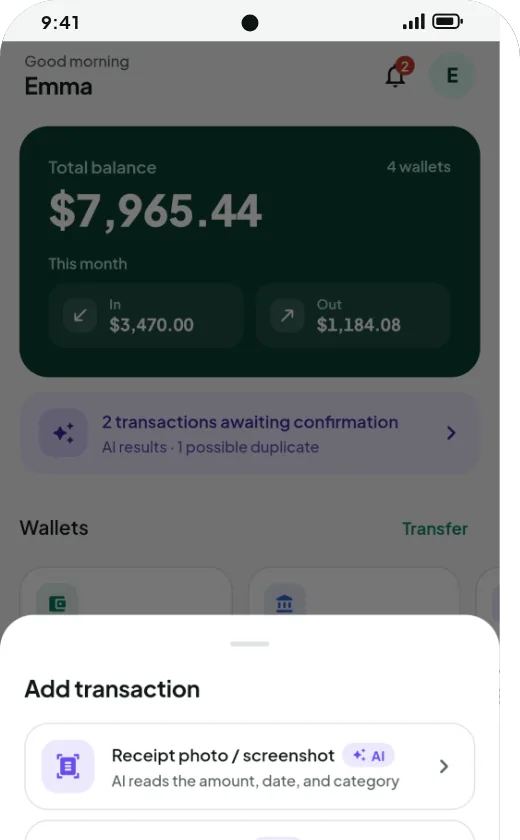
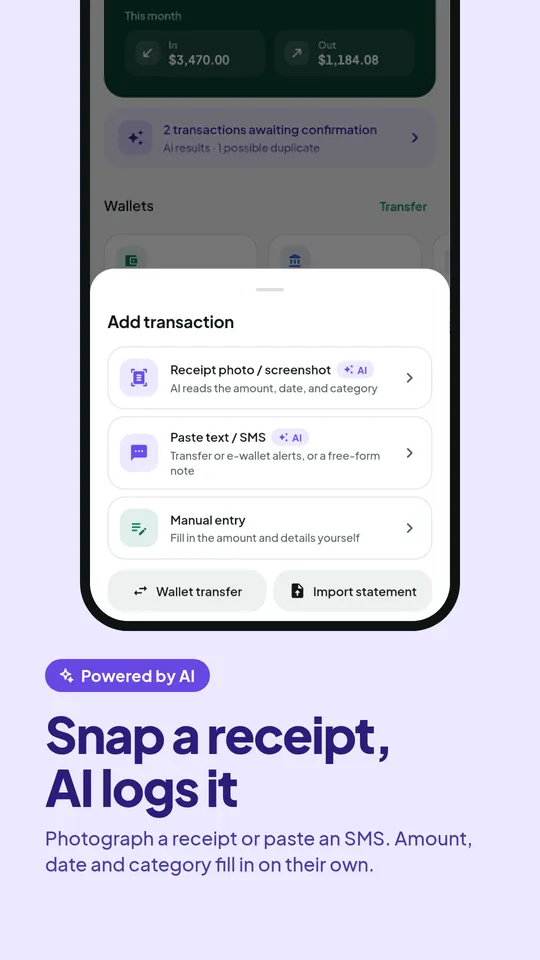
Photograph a receipt, screenshot a transfer or e-wallet notification, or forward a bank email or SMS to JotIt.
AI reads it
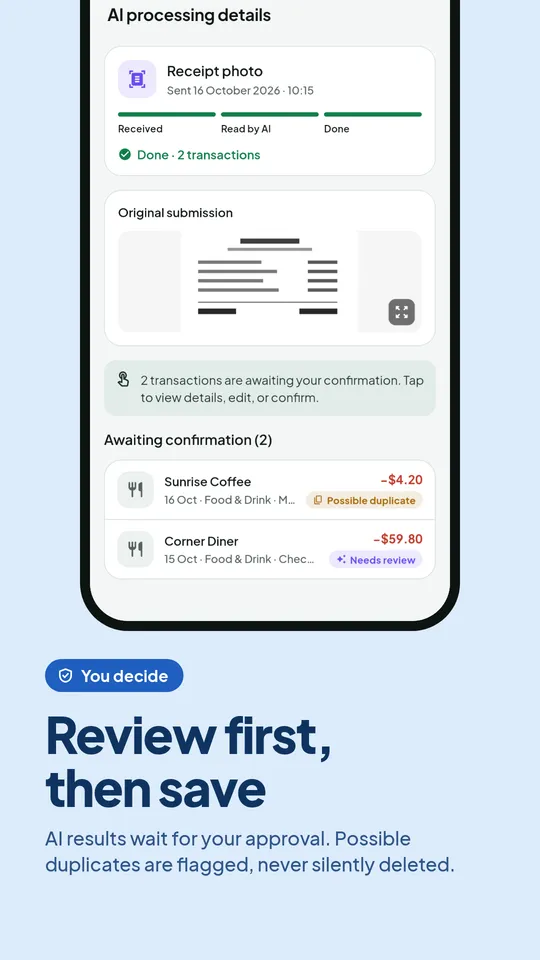
Amount, date, type and category are filled in for you. Even one upload with many transactions is split automatically.
You confirm
Take a quick look and fix anything that is off. Nothing is saved without your approval.
Reports build themselves
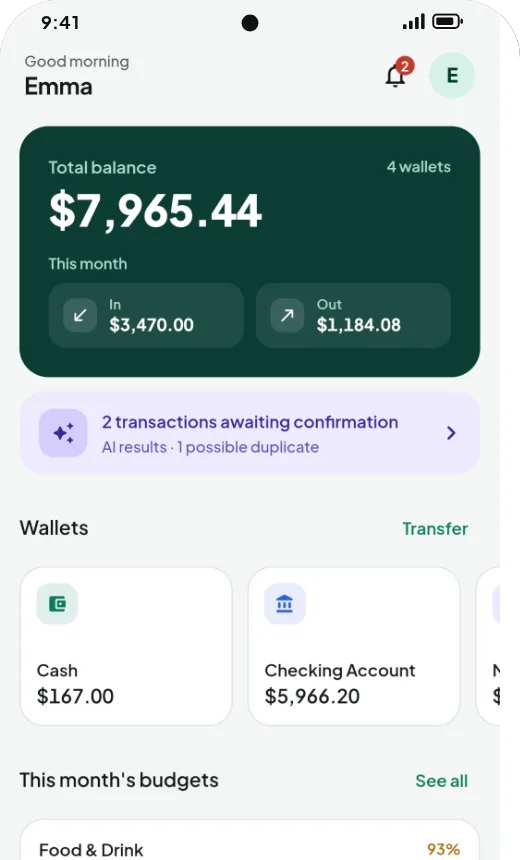
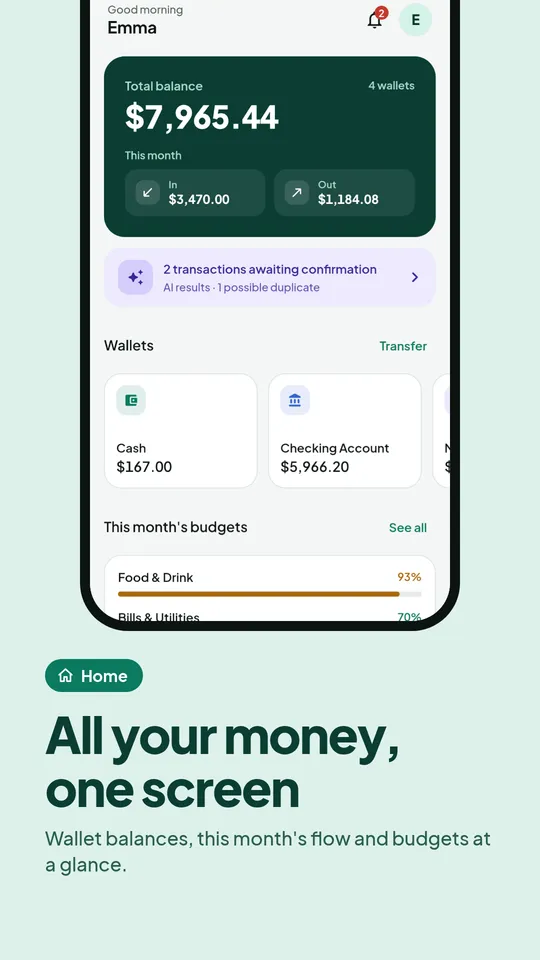
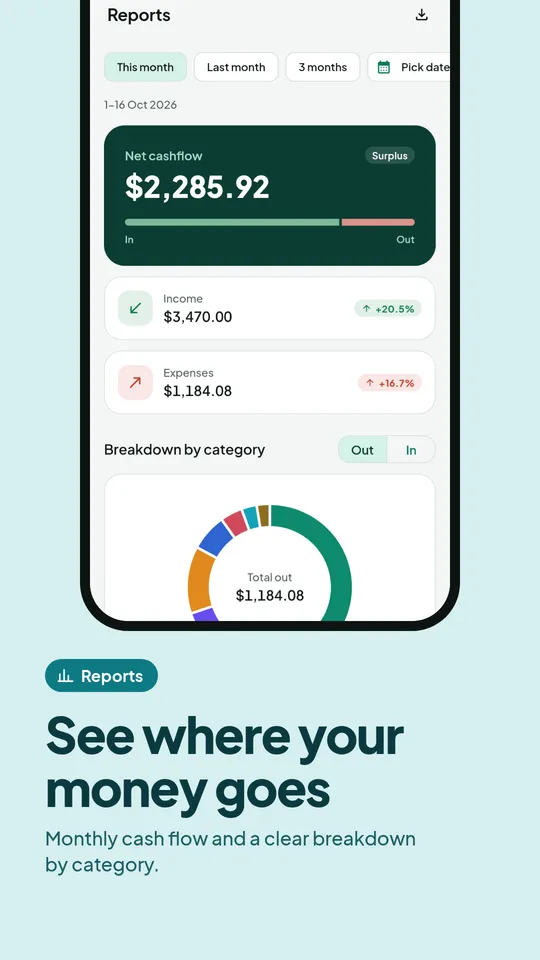
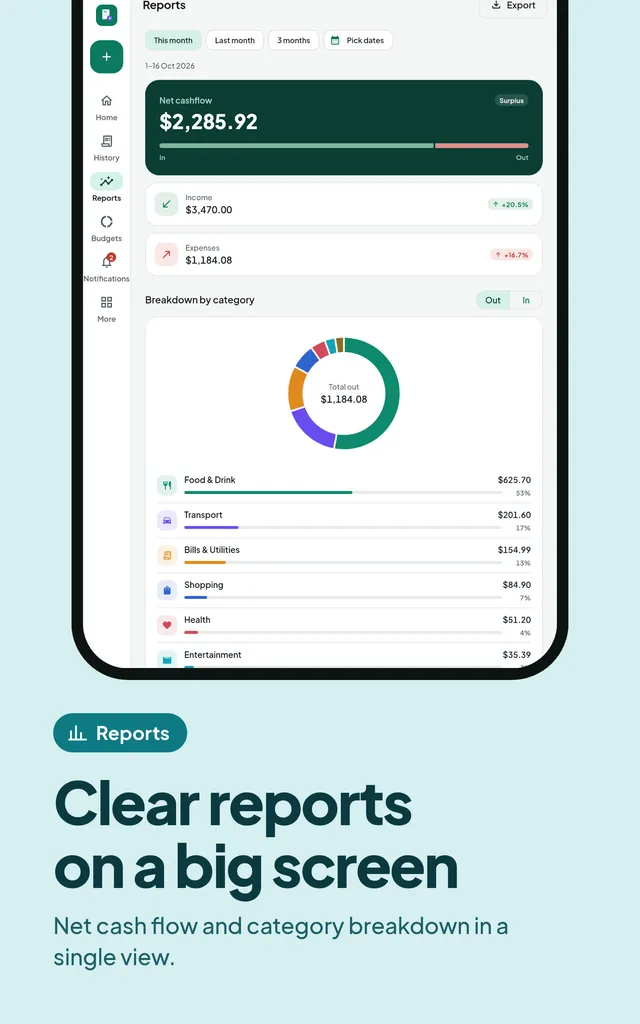
Cash flow, category breakdowns and budgets update automatically, ready to export any time.
AI that understands local context
From corner-shop receipts to bank alerts and e-wallet SMS
One upload can contain many transactions. The AI splits them line by line, guesses categories from your habits and flags anything that looks like an existing entry so nothing is logged twice.
- Photograph a receipt or screenshot
- Paste notification or SMS text
- Forward receipt emails
- Import bank statements (CSV/PDF)
App screenshots
Take a closer look at JotIt
Swipe to see every screen
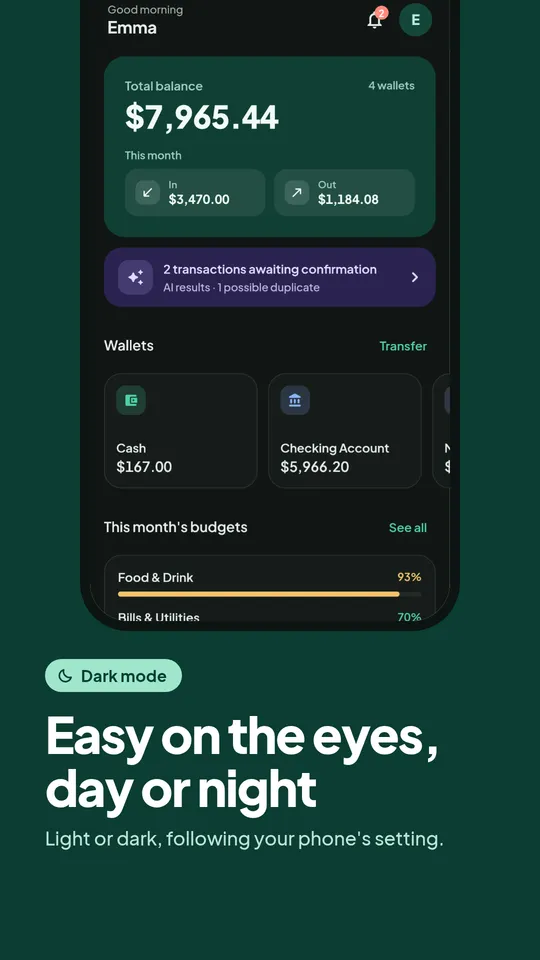
Key features
Everything you need to stay organized
Log from anywhere
Camera, gallery, share from WhatsApp or Gmail, forwarded emails, or free-form typing. The AI gets it.
Many transactions at once
One bank statement screenshot can become dozens of separate transactions, split automatically by the AI.
No duplicates
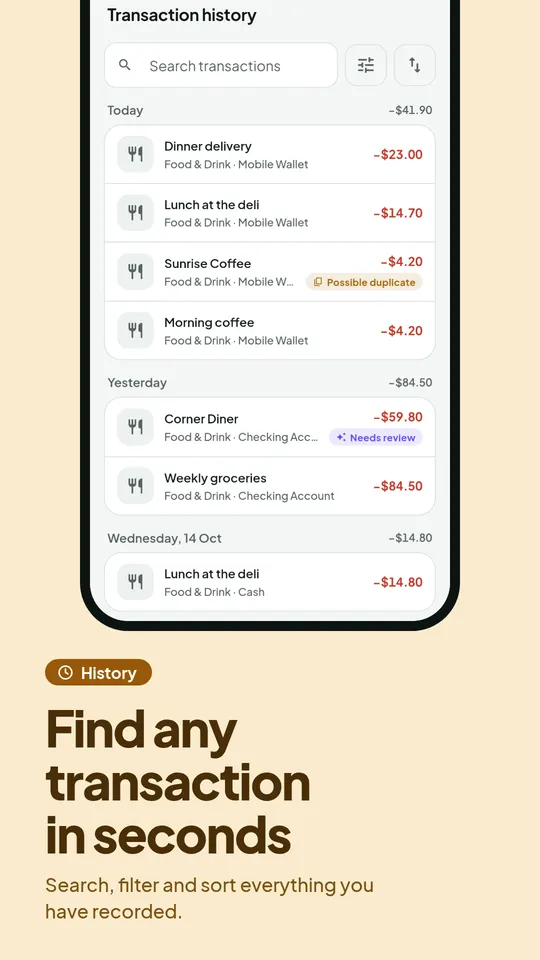
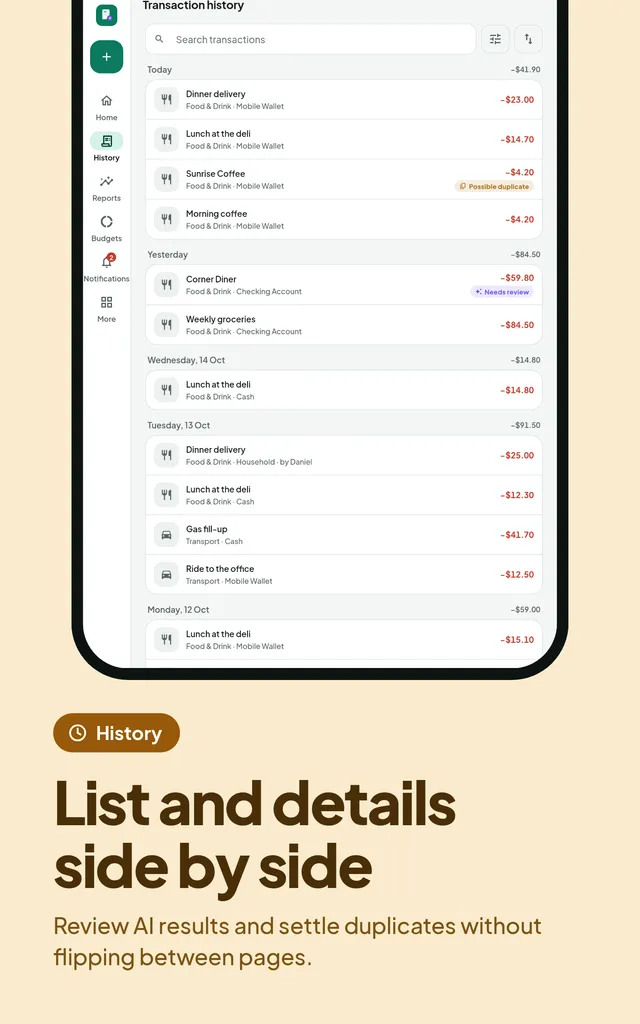
Uploads that partly overlap with earlier entries are still caught line by line. The final call is yours.
Multiple wallets
Keep cash, bank accounts and e-wallets separate, with transfers between wallets.
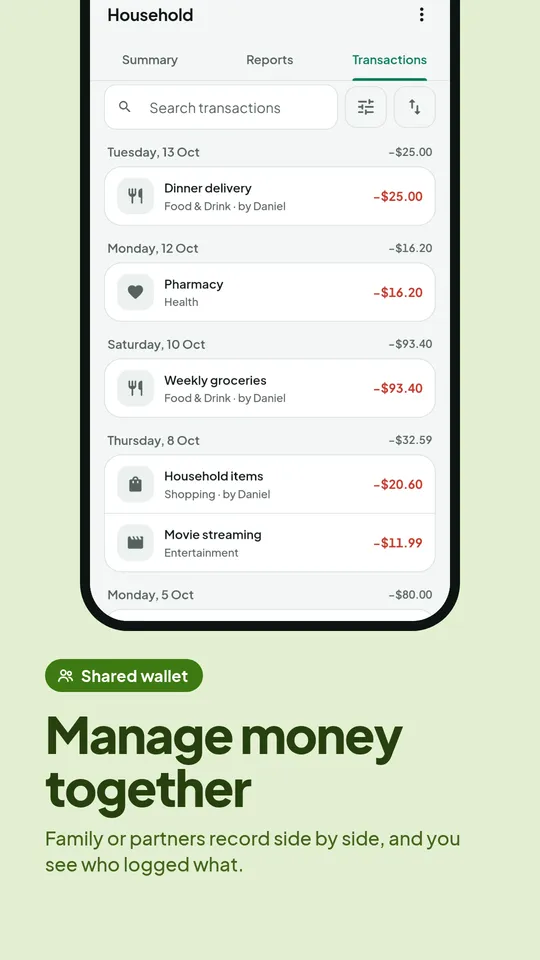
Shared wallets
Manage family finances together with your partner and see who logged what.
Budgets & reminders
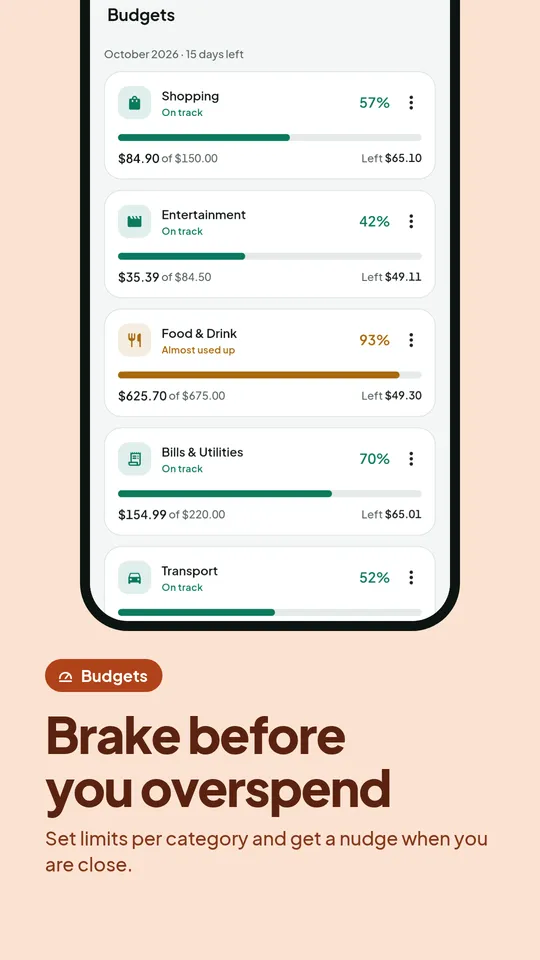
Set monthly limits per category and get notified before you overspend.
Great on tablets and desktops too
Open full reports on a big screen with the web app. It is the same data as on your phone, synced automatically.
Open the web app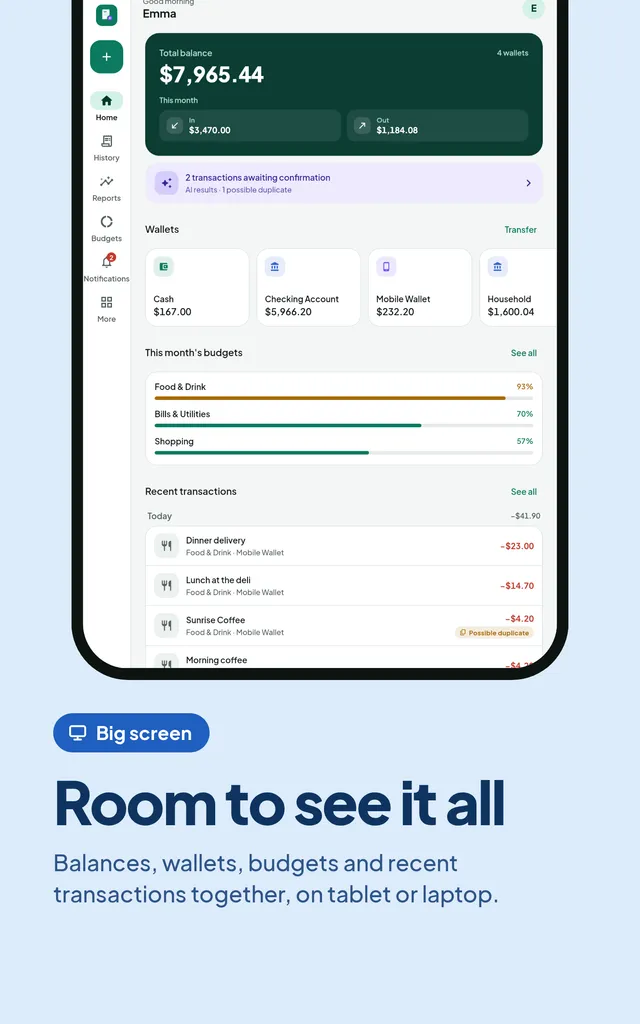
Pricing
Start free, upgrade any time
Paid plans are purchased in the JotIt Android app through Google Play and are active on the web app too. New subscribers get a 7-day free trial. Cancel any time in Google Play. Plans are available monthly or yearly.
Yearly plans available: pay once a year and save. Prices in your local currency on Google Play.
Free
To start tracking neatly
Free
- 20 AI scans/month
- 1 wallet
- Log from text/SMS
- Reports for the last 3 months
Starter
For daily trackers
See price on Google Play
- 300 AI scans/month
- 3 wallets
- Forward receipt emails
- Monthly budgets
- Excel/CSV export, no ads
Pro
For families and serious users
See price on Google Play
- 500 high-accuracy AI scans/month
- 10 wallets
- Bank statement import
- Shared wallets
- Recurring transaction detection
- Multi-currency & API access
Business
For small businesses
See price on Google Play
- 2,000 high-accuracy AI scans/month
- Unlimited wallets & members
- Cash flow forecast
- Export with your business branding
- Unlimited report history
Available everywhere
One account, every device
Android
Install from Google Play, including subscription purchases and notifications.
Open Google PlayiPhone & iPad
Open the web app in Safari, tap Share, then choose Add to Home Screen. It works like a regular app.
Open the web appLaptop & desktop
Straight from your browser. In Chrome or Edge you can install it as an app with the install icon in the address bar.
Open the web appFAQ
Frequently asked questions
How accurate is the AI?
The AI is designed for 90%+ accuracy on clear receipts and screenshots. Every result still needs your confirmation before it is saved for good, so mistakes can be fixed right away.
If I forward the same receipt twice, will it be logged twice?
No. JotIt detects identical uploads as well as individual transactions that look alike (same date, amount and type) and flags them as "possible duplicate". You decide; the system never deletes or merges anything on its own.
How do I subscribe?
Starter, Pro and Business subscriptions are purchased in the JotIt Android app through Google Play. New subscribers can try it free for 7 days (once per Google account); cancel before day 7 and you are not charged. Once active, your plan also applies on the web app with the same account. You can change or cancel in Google Play at any time.
Are there yearly plans?
Yes. Starter, Pro and Business can be paid yearly in the Android app at a lower price than paying monthly. Your AI scan quota still resets every month, at the start of the month. The 7-day free trial applies to monthly plans only.
Is my financial data safe?
Data is encrypted in transit, every API request is checked against data ownership, and we never store payment card details. Subscription payments are handled entirely by Google Play.
Can I use it on my phone and on the web?
Yes. JotIt is available on Google Play for Android and as a web app (which you can add to the home screen on iPhone or install on desktop), all with one account.
What if I run out of monthly AI scans?
You can still log entries manually without limit. Your AI scan quota resets at the start of every month, or you can upgrade any time for a bigger quota.
Ready to track your money without the hassle?
Free to start. Scan your first receipt in 1 minute.